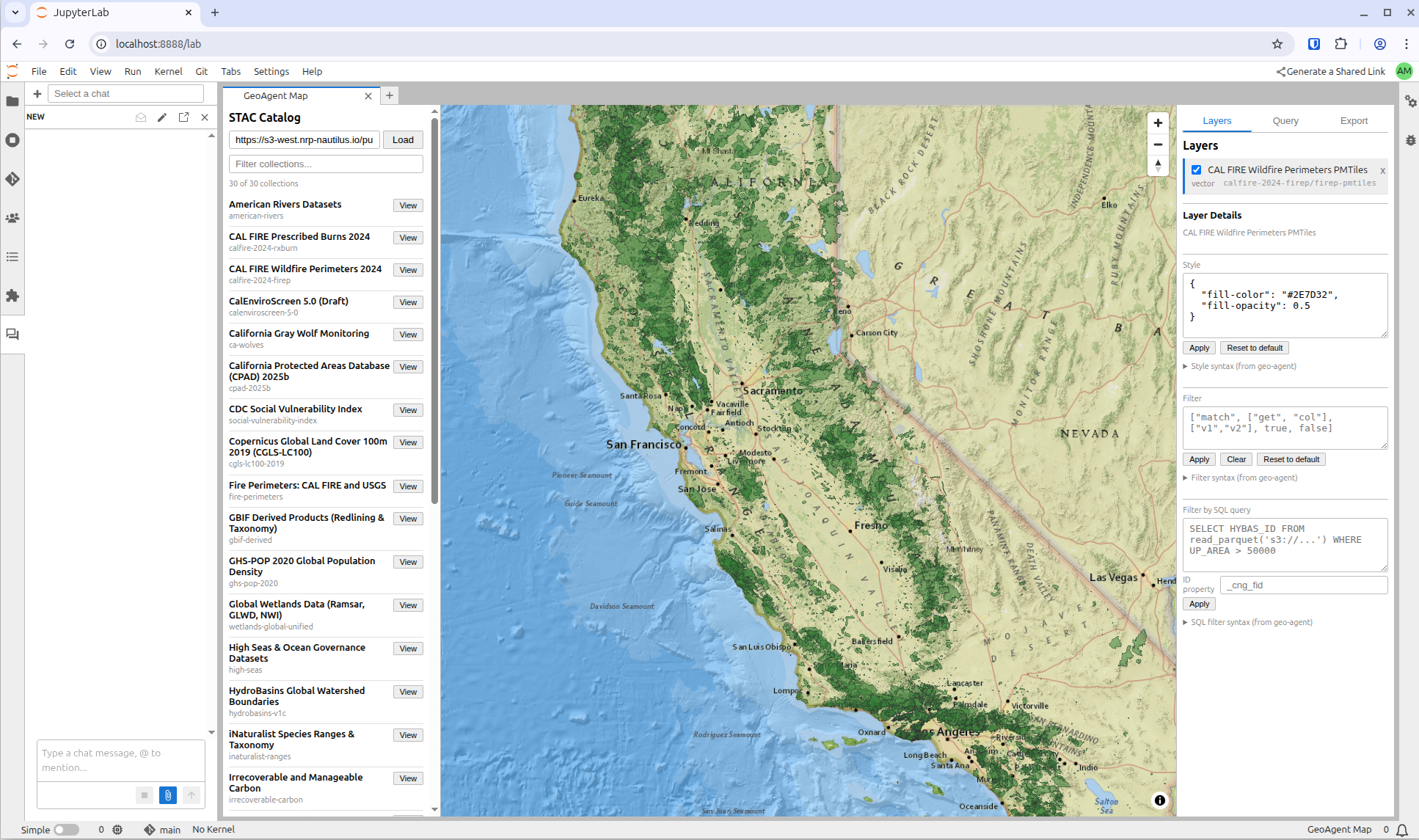
A JupyterLab extension for interactive geospatial data exploration: browse STAC catalogs, add layers to a map, style and filter them, run SQL queries via MCP, and export reproducible artifacts — all without writing code.
Where to go next
Usage Guide — how to use the extension day-to-day, with a quickstart and common patterns
Design Specification — architecture, module reuse, data flow (internal reference for contributors)
Install
As a Python package
pip install jupyter-geoagentSee the project README on GitHub for development setup.
As a container image (recommended for JupyterHub)
A pre-built, minimal JupyterHub single-user image ships with jupyter-geoagent plus jupyter-ai v3 and both the Claude and OpenCode ACP personas wired up:
ghcr.io/geojupyter/jupyter-geoagent:latestEverything needed for the full chat-driven workflow (GeoAgent Map panel + @Claude / @OpenCode personas + geoagent:* JupyterLab commands) is pre-configured — no per-pod install step. Rebuilt on every push to main, so :latest always tracks the current release. Immutable tags (sha-<commit>) are also published.
Built from docker/Dockerfile — base image is quay.io/jupyter/minimal-notebook.